
Visitor engagement

YouTube feed

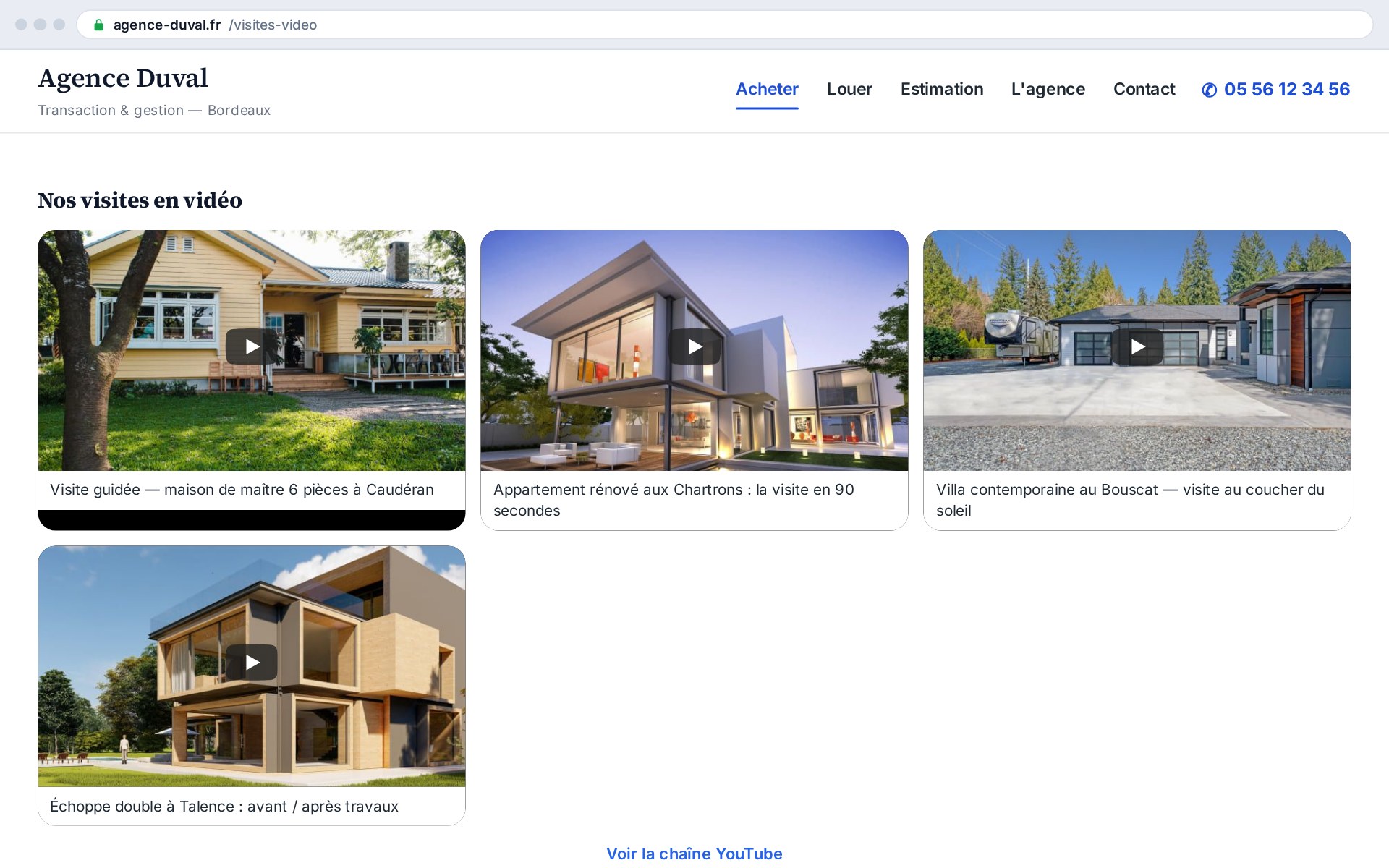
The YouTube feed add-on displays your channel's latest videos straight on your agency site, as a grid, slider or carousel, with inline playback. Real-estate video converts: virtual tours, property walk-throughs and testimonials kept on your site hold the visitor longer and bring them closer to making contact.

What this add-on does

The add-on fetches your YouTube channel's latest videos via the official API and displays them as thumbnails on your site, in the layout you choose. Playback starts in place, on click, in a cookie-less iframe (privacy-enhanced mode).

  • Three layouts: grid, slider, carousel
  • Cookie-less inline playback (youtube-nocookie)
  • Feed fetched via the YouTube API and cached
  • Automatic fallback to the last feed on outage

Video holds and converts

A filmed tour is worth a thousand photos: real-estate video grabs attention, conveys a property's volume and atmosphere, and builds trust. By keeping your videos on your own site rather than sending the visitor off to YouTube, you hold them longer and steer them toward making contact.

How it works

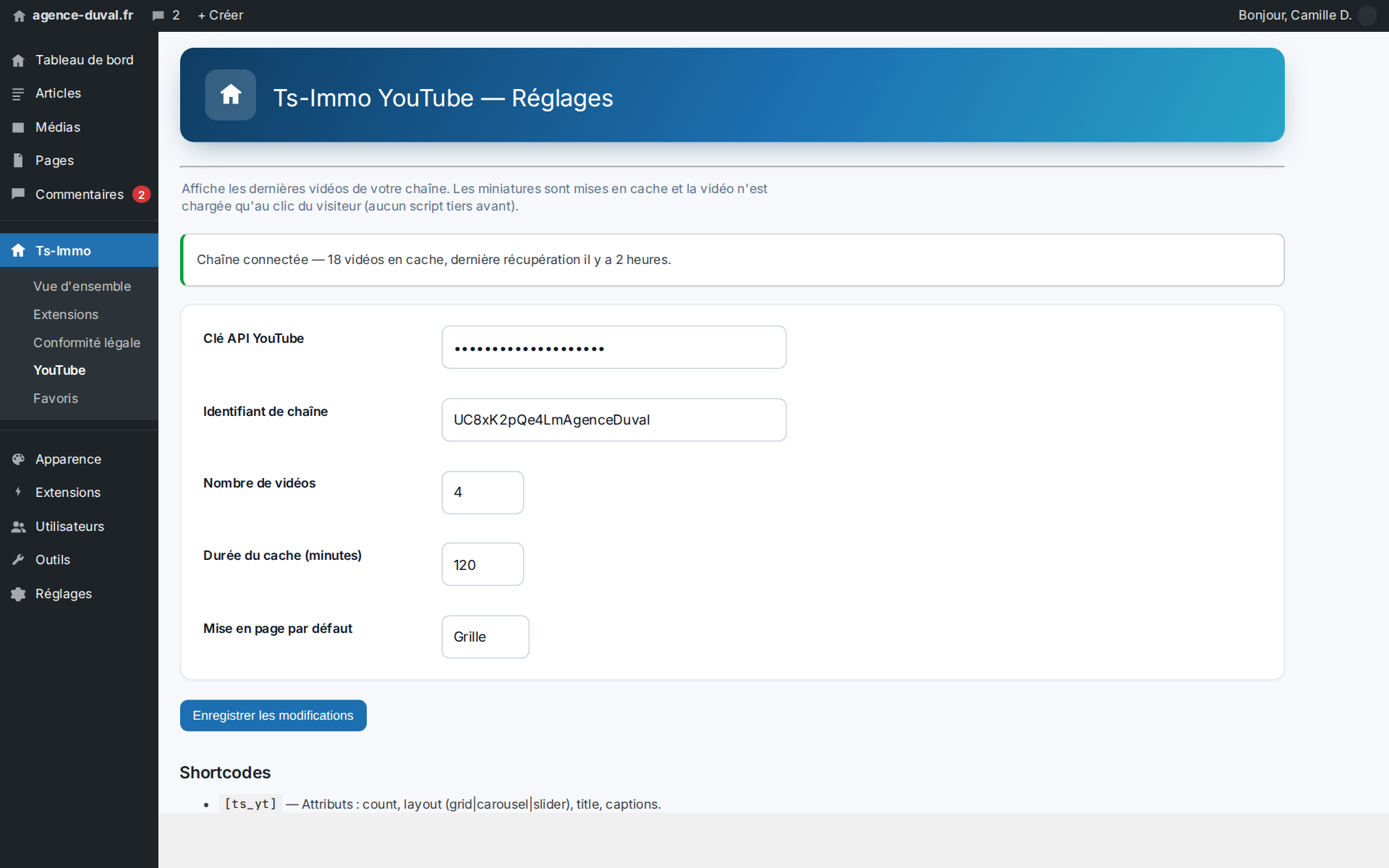
You enter a YouTube Data API key (Google Cloud Console) and your channel ID (UC…). The add-on queries the API, caches the feed to spare the quota, and displays it via the [ts_yt] shortcode you place wherever you want. You choose the layout, the number of thumbnails and the columns.

  • Configurable API key and channel ID
  • Adjustable cache (minutes) to spare the quota
  • [ts_yt] shortcode with attributes
  • On-demand “Clear cache” button

A format for every spot

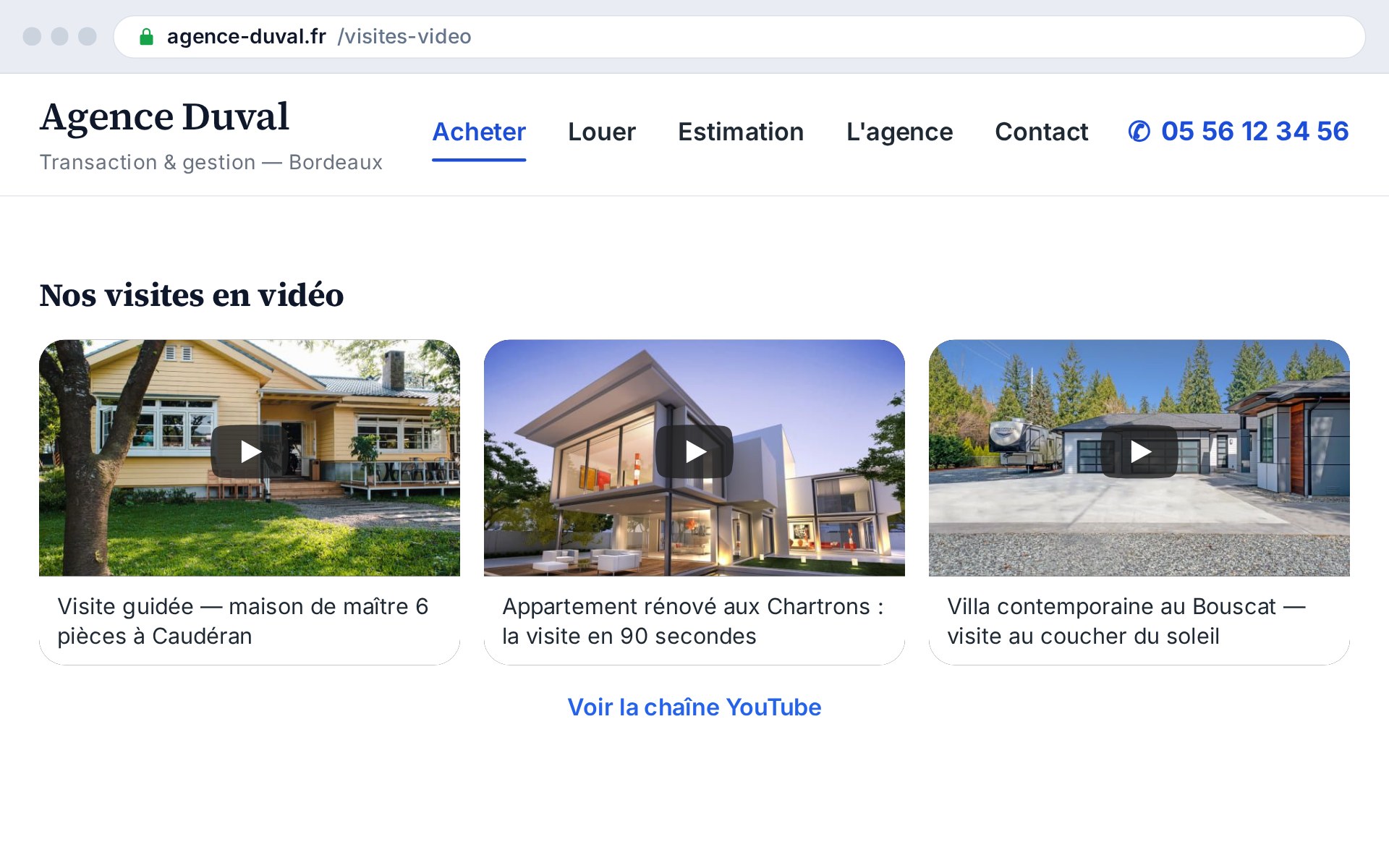
The grid suits an “Our videos” page; the auto-rotating slider spotlights one video in a narrow band; the scrollable carousel fits into a homepage or property-page flow. Same feed, three presentations, with no code to touch.

Before / after at a glance

Without the add-onWith the add-on
Videos invisible on the siteLatest videos displayed live
Visitor sent off to YouTubePlayback kept on your site
Third-party cookies on loadCookie-less playback, on click only
Manual update of linksFeed synchronized automatically

Who it's ideal for

Valuable for any agency that produces videos (tours, presentations, testimonials) and wants to showcase them on its own site, and for those wanting to enrich their content and hold visitors longer.
Shortcodes

Shortcodes added by this add-on. Paste them into any page or post to display the feature.

[ts_yt]

Displays a channel's YouTube feed (latest videos thumbnails) as a grid, slider or carousel, with inline playback.

Parameters

ParameterDescription
layoutLayout: grid, slider or carousel. Defaults to the configured layout.
countNumber of videos shown (1–50). Defaults to the configured count.
columnsNumber of columns (grid / carousel), 1–6.
intervalSlider auto-rotation interval (seconds).
titleSection title. Empty by default.
linkShow the channel link (1 by default, 0 to hide).

Frequently asked questions

How do I connect my YouTube channel?+

The simplest way: an “Authorize access” button starts the Google OAuth flow (from the site, no backend); you grant read access and the add-on fetches your videos, refreshing tokens automatically. Alternative for a third-party public channel: a YouTube Data API v3 key (Google Cloud Console) + the channel ID (UC…).

Does playback drop cookies?+

The thumbnail is static until the visitor clicks. Playback then happens in a “youtube-nocookie” iframe (privacy-enhanced mode), with no tracking cookie until a video is started.

Does the site call the API on every visit?+

No. The feed is cached for a duration you set (60 minutes by default), to spare the API quota. A button lets you clear the cache on demand.

Can I choose the layout per page?+

Yes. The [ts_yt] shortcode accepts a layout attribute (grid, slider or carousel), as well as count, columns and interval, to tailor each spot without touching the global settings.

Ready to connect your CRM?

Get started for free or contact us for a personalized Ts-Immo demonstration.

YouTube feed — display your videos on your site | Ts-Immo — Ts-Immo