
Visitor engagement

Instagram feed

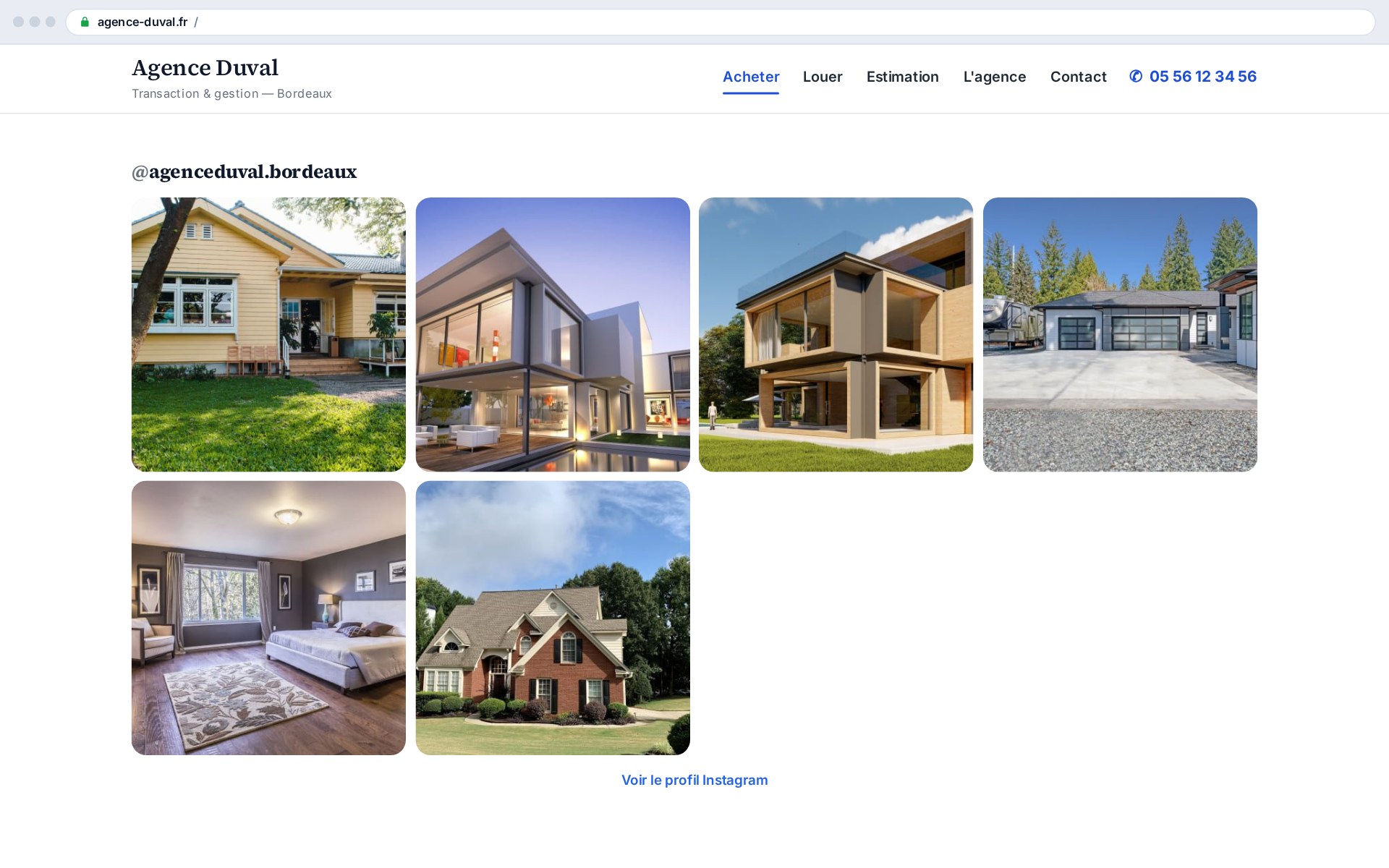
The Instagram feed add-on displays your latest posts straight on your agency site, as a grid, slider or carousel. Your social activity becomes living proof of your momentum: a static site inspires less trust than one that shows, in real time, an active agency present on social media.

What this add-on does

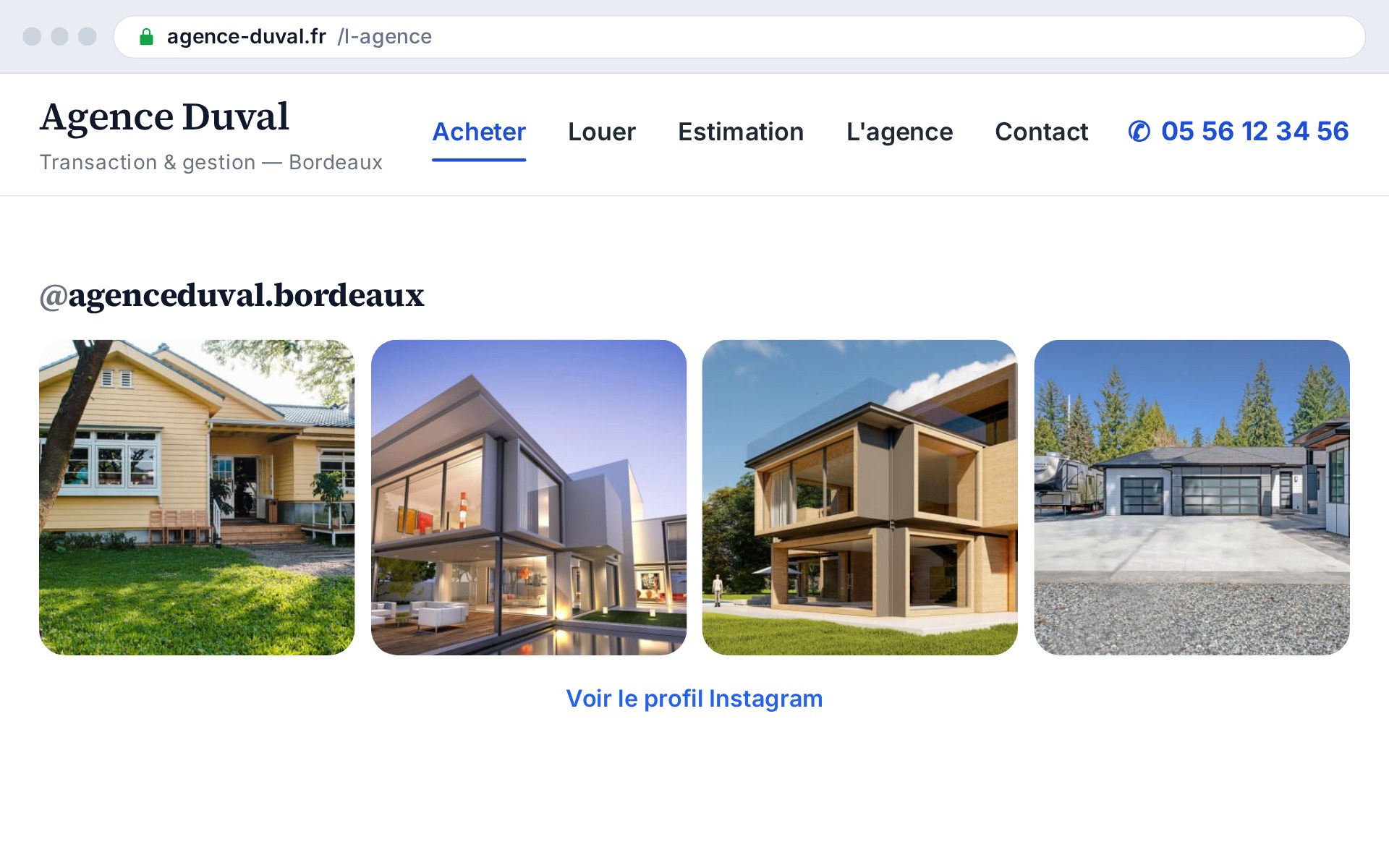
The add-on fetches your Instagram account's latest posts via the official API and displays them as thumbnails on your site, in the layout you choose. Videos and albums are flagged with an icon, and each thumbnail links to the original post.

  • Three layouts: grid, slider, carousel
  • Feed fetched via the Instagram API and cached
  • Automatic fallback to the last feed on outage
  • No visitor data stored

A living site inspires trust

Before stepping into an agency, people check its digital storefront. A site that shows recent social activity projects the image of a dynamic, present team, whereas a static site leaves doubt hanging. Showing your behind-the-scenes, your listings and your news from Instagram, right on your site, turns your social presence into proof of vitality.

How it works

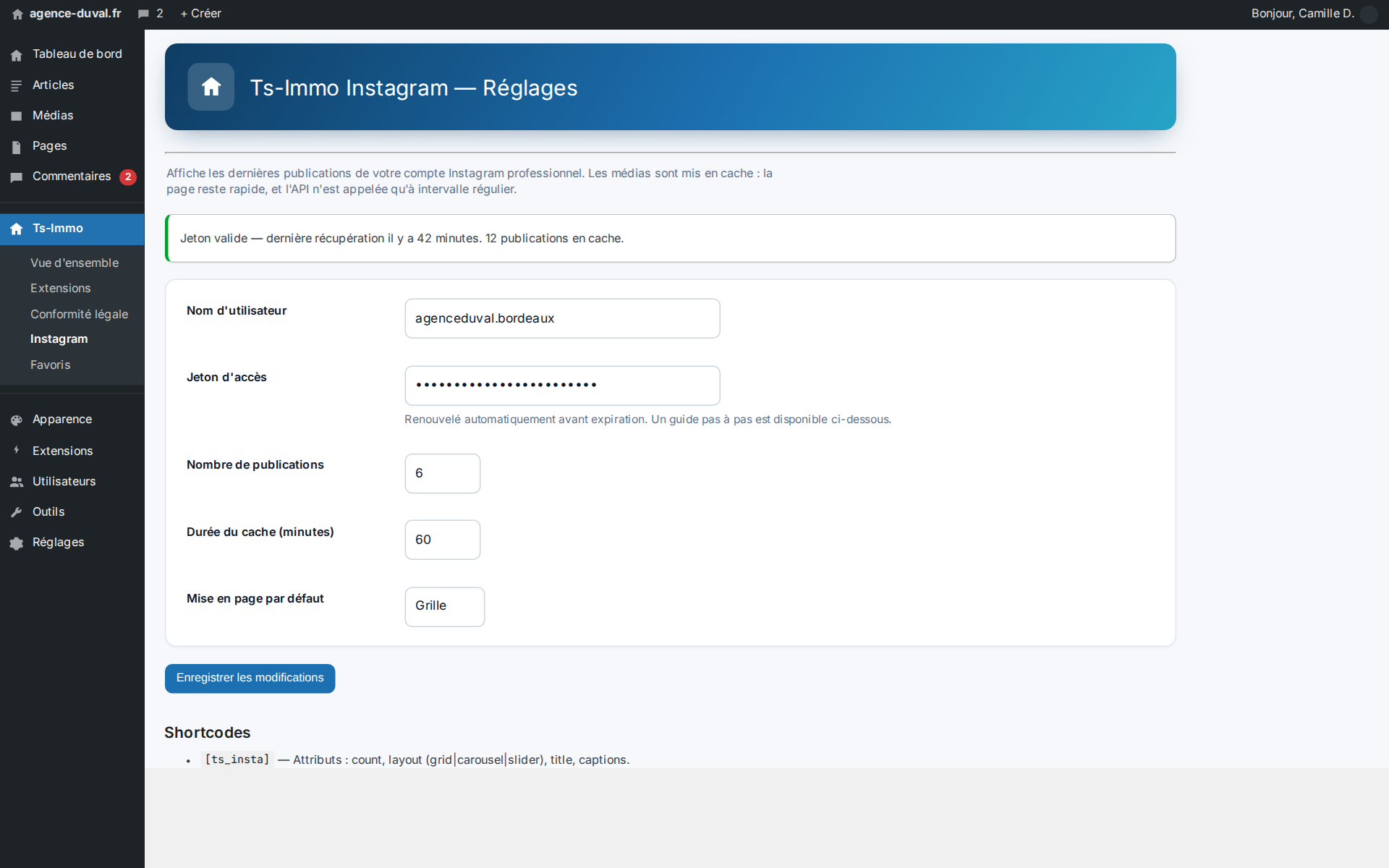
You enter an Instagram access token (generated from your Meta developer account) and, optionally, your @handle. The add-on queries the API, caches the feed so it isn't called on every visit, and displays it via the [ts_insta] shortcode you place wherever you want. You choose the layout, the number of thumbnails and the columns.

  • Configurable long-lived access token
  • Adjustable cache (minutes) to spare the API
  • [ts_insta] shortcode with attributes
  • On-demand “Clear cache” button

A format for every spot

The grid suits a “Follow us” page or a rich footer; the auto-rotating slider catches the eye in a narrow band; the scrollable carousel fits into a homepage flow. Same feed, three presentations, with no code to touch.

Before / after at a glance

Without the add-onWith the add-on
Social activity invisible on the siteLatest posts displayed live
Site that feels staticLiving, up-to-date storefront
Visitors sent elsewhereSocial content kept on your site
Manual update of visualsFeed synchronized automatically

Who it's ideal for

Valuable for any agency active on Instagram wanting to capitalize on that work on its own site, and for those wanting to project a modern, dynamic image with no extra update effort.
Shortcodes

Shortcodes added by this add-on. Paste them into any page or post to display the feature.

[ts_insta]

Displays the agency's Instagram feed (latest posts thumbnails) as a grid, slider or carousel.

Parameters

ParameterDescription
layoutLayout: grid, slider or carousel. Defaults to the configured layout.
countNumber of posts shown (1–50). Defaults to the configured count.
columnsNumber of columns (grid / carousel), 1–8.
intervalSlider auto-rotation interval (seconds).
titleSection title. Defaults to the @handle if set.
linkShow the profile link (1 by default, 0 to hide).

Frequently asked questions

How do I connect my Instagram account?+

The simplest way: an “Authorize access” button starts the Instagram OAuth flow (from the site, no backend); you grant access and the add-on gets a long-lived token (~60 days) that it refreshes automatically. Alternative: paste a long-lived access token generated from a Meta developer account. Either way, the token is only used to fetch your own feed.

Does the site call the API on every visit?+

No. The feed is cached for a duration you set (30 minutes by default). The API is only re-queried when the cache expires, and a button lets you clear it on demand.

What happens if Instagram is unreachable?+

The add-on keeps the last fetched feed and shows it as a fallback: your thumbnails stay visible even during a network outage or a temporary API error.

Can I choose the layout per page?+

Yes. The [ts_insta] shortcode accepts a layout attribute (grid, slider or carousel), as well as count, columns and interval, to tailor each spot without touching the global settings.

Ready to connect your CRM?

Get started for free or contact us for a personalized Ts-Immo demonstration.

Instagram feed — display your posts on your site | Ts-Immo — Ts-Immo