Engagement add-on

Gallery slider for your listings

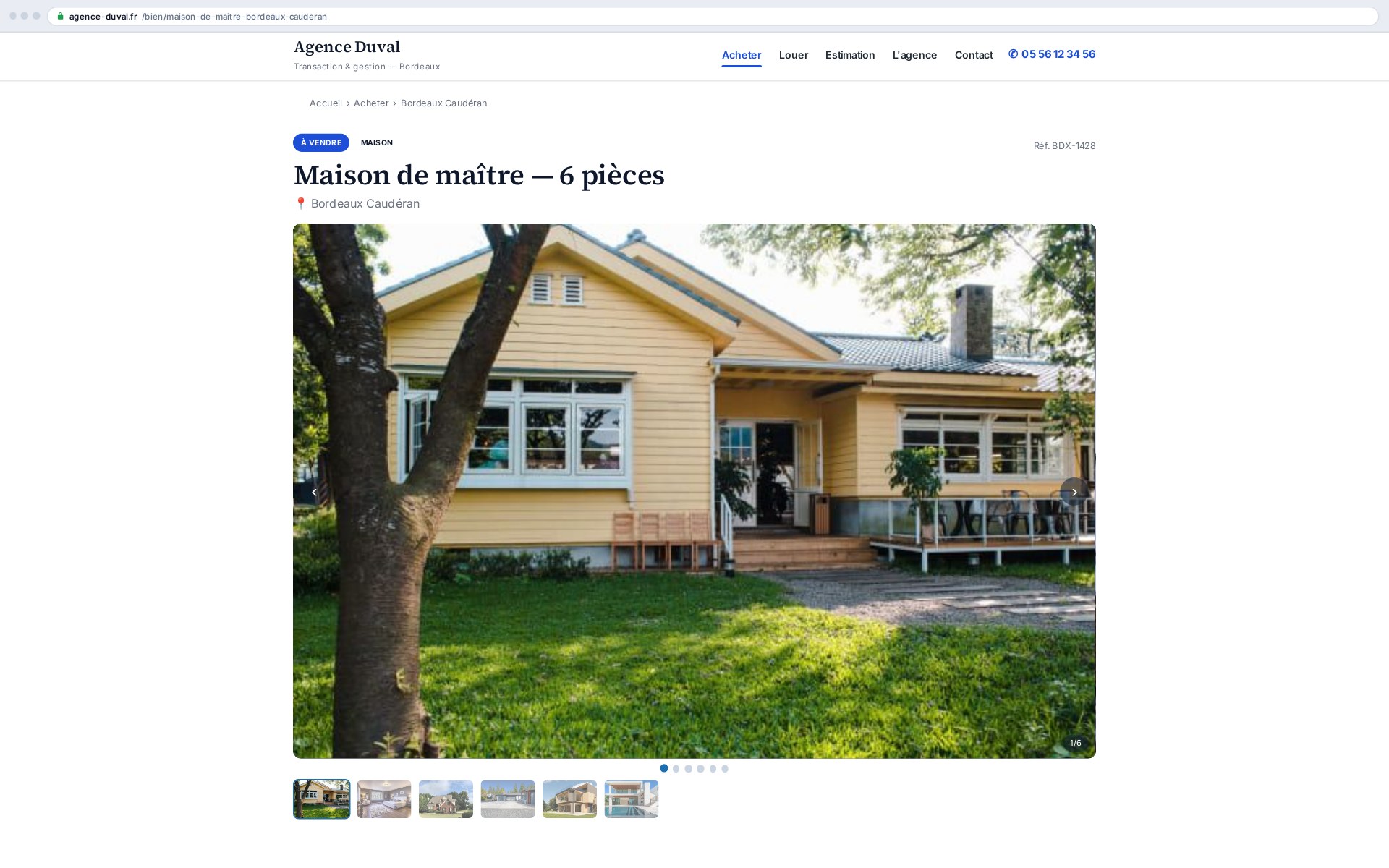
Photos are what trigger the viewing. The slider shows the property's whole gallery large, with thumbnails and full screen on click, at the speed of a static page — the images come from the media already synced from your CRM, with nothing to prepare or resize.

Every CRM photo shown large, with thumbnails: the listing's shop window

What this add-on does

The Gallery slider presents a property's photos in a polished carousel, droppable anywhere via a shortcode. The images are the ones already imported by the Ts-Immo gateway (Ts-Sync): no re-entry, no manual upload. All rendering is local — no third-party JavaScript library, no external call, no visitor data stored.

  • Configurable autoplay (interval, pause on hover, pause when the tab is hidden)
  • Arrows, navigation dots and a thumbnail strip, each individually toggleable
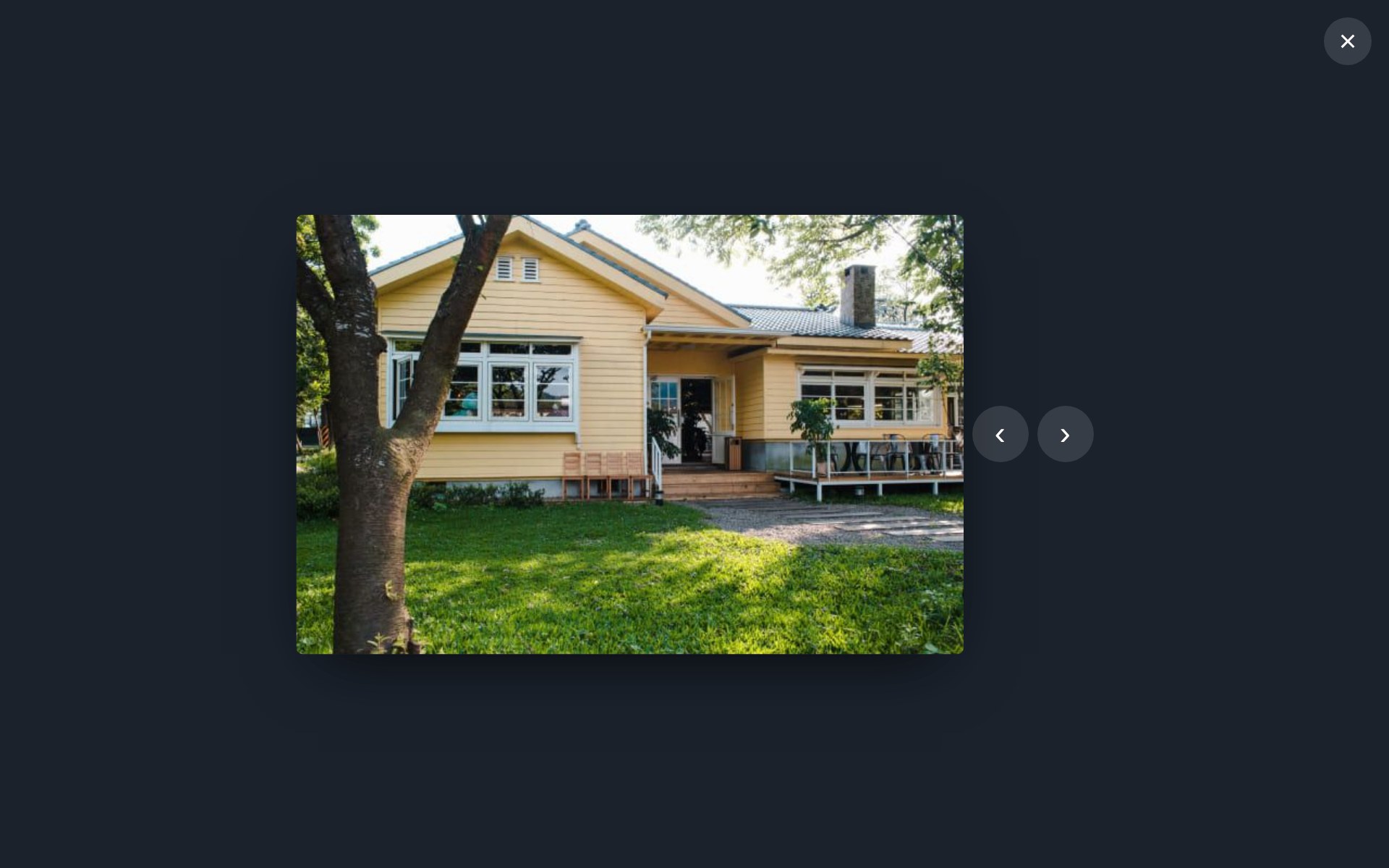
  • Lightbox: click the image → full screen, ← / → navigation, close with Esc
  • Keyboard navigation and touch swipe, careful accessibility, prefers-reduced-motion aware

What it changes for you

A buyer judges a listing in seconds, and judges it on the photos. A slow or cramped gallery sends the visitor back to a portal where the same photos are shown properly — and where your competitor pays to be on top. Showing your images large, on your own site, keeps the visit and the call.

  • Every CRM photo, with no manual picking
  • Full screen on click, keyboard and touch navigation
  • Lazy loading: the page stays fast even with thirty photos
  • No external service, so nothing to declare under GDPR

WordPress integration

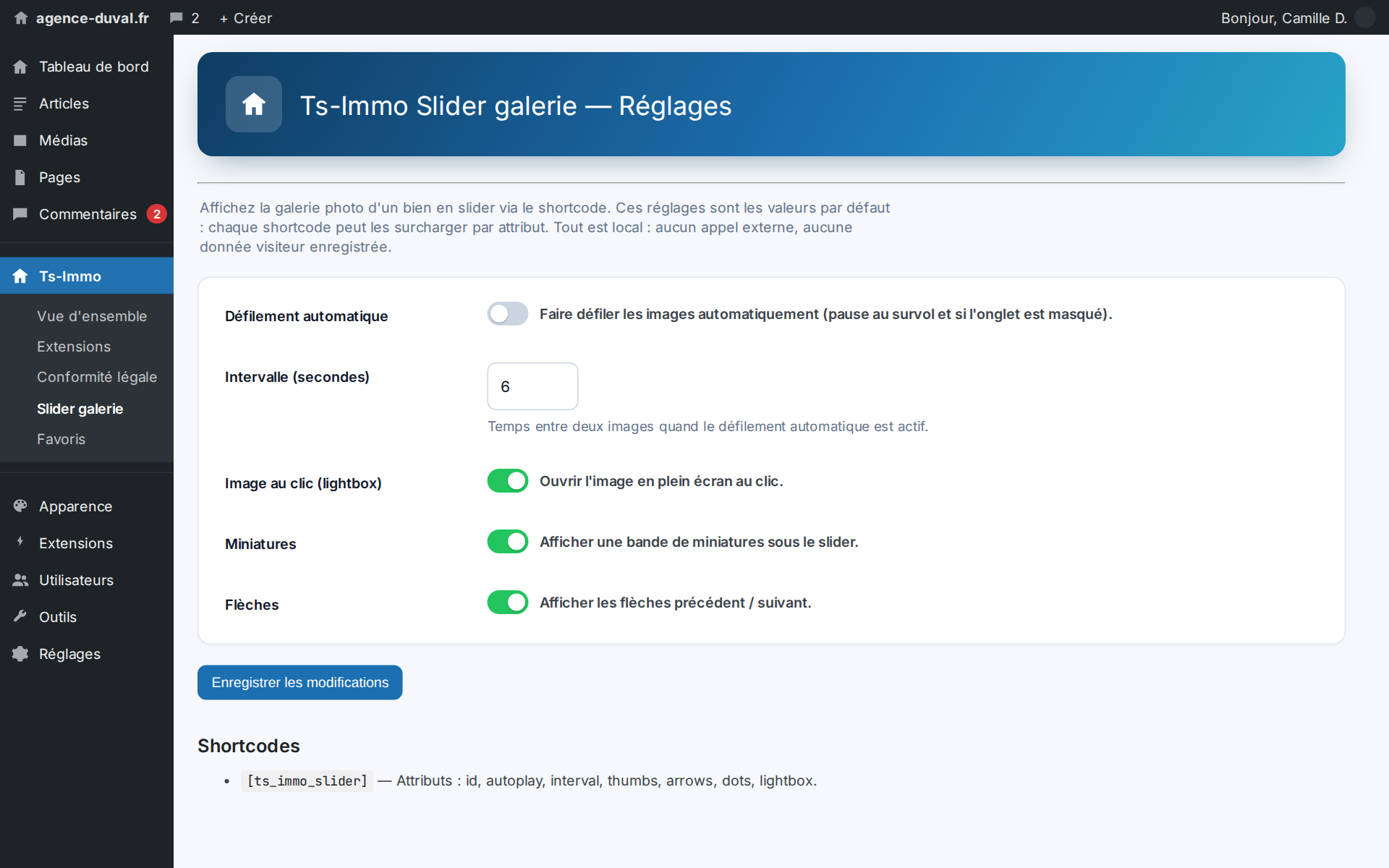
Drop the shortcode into a listing template or content: it renders the current property's gallery. Each attribute overrides the global defaults set under Ts-Immo → Gallery slider.

Shortcode WordPress
[ts_immo_slider]
[ts_immo_slider id="123" autoplay="1" interval="6" lightbox="1" thumbnails="1" arrows="1" dots="1" loop="1" size="large"]

Shortcode attributes

AttributeRoleDefault
idProperty post to displaycurrent property
autoplayAutoplay (1/0)settings
intervalSeconds between imagessettings
lightboxFull-screen image on click (1/0)settings
thumbnailsThumbnail strip (1/0)settings
arrowsPrevious / next arrows (1/0)settings
dotsNavigation dots (1/0)settings
loopLooping (1/0)settings
sizeWordPress image size (large, full…)settings

Images are the property's attachments, ordered by the position postmeta set by Ts-Sync (position 0 = featured image).
Shortcodes

Shortcodes added by this add-on. Paste them into any page or post to display the feature.

[ts_immo_slider]

Displays a property's photo gallery in a slider (lightbox, thumbnails, autoplay).

Parameters

ParameterDescription
idProperty post ID (default: current property).
autoplayAutoplay: 1 or 0 (default: global setting).
intervalSeconds between slides in autoplay (default: global setting).
lightboxFull-screen image on click: 1 or 0 (default: global setting).
thumbnailsThumbnail strip: 1 or 0 (default: global setting).
arrowsNavigation arrows: 1 or 0 (default: global setting).
dotsNavigation dots: 1 or 0 (default: global setting).
loopSlider looping: 1 or 0 (default: global setting).
sizeWordPress image size (e.g. large, full, medium_large; default: global setting).

Screenshots

On click the photo opens full screen — the one thing that triggers a viewing
Settings: autoplay, thumbnails, full screen — defaults, overridable per shortcode

Frequently asked questions

Where do the slider images come from?+

From the property's attachments already imported by Ts-Sync. The add-on reads the materialised WordPress media, without guessing any path in the CRM payload. The order can be adjusted via the ts_immo_slider_gallery_ids filter.

Does the slider depend on an external library?+

No. Rendering is fully local: no third-party JavaScript library, no external call, no visitor data stored. The only persisted data are the configuration options.

Ready to connect your CRM?

Get started for free or contact us for a personalized Ts-Immo demonstration.

Gallery slider add-on — photo carousel for listings | Ts-Immo — Ts-Immo