Property display

Listing & search

The page that sells is the one that lists your properties. The Listing add-on drops a property grid and its search bar onto any page, with five card templates to choose from. Properties are read from your own site: the page is fast, indexable by Google, and stays up even if the CRM has an outage.

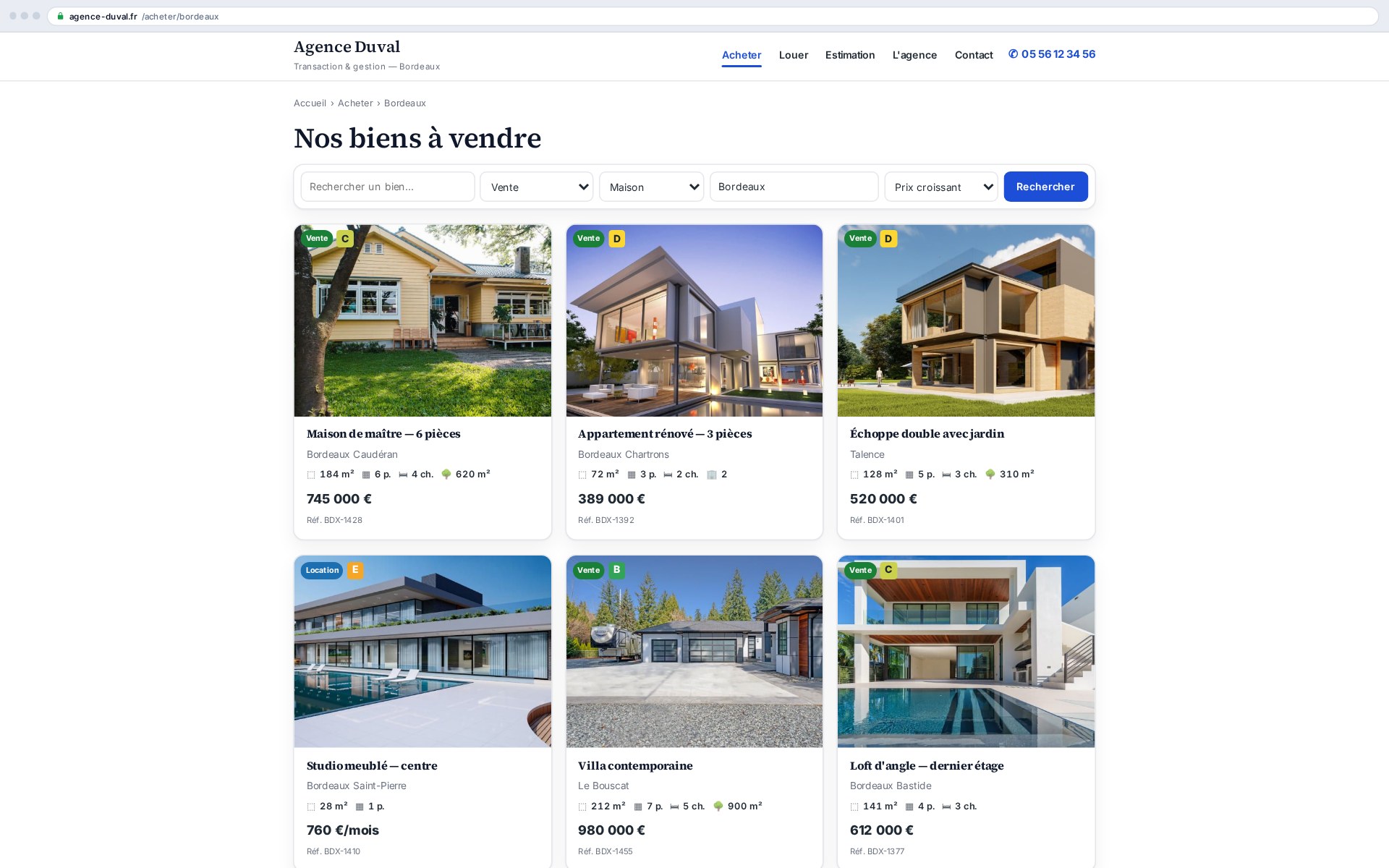
Property grid and search bar: the catalogue page drops in with one shortcode

What this add-on does

One shortcode publishes your catalogue: the grid shows synced properties, the search bar filters by transaction, type, city and price, and each card carries a photo, compliant price, specs and reference. You pick the number of columns and the card template, page by page.

  • Responsive grid from 1 to 6 columns
  • Search by transaction, type, city, price and sorting
  • Cards with photo, price, spec pills and EPC label
  • Favourite and compare buttons built in when those add-ons are active

Five card templates, zero lines of code

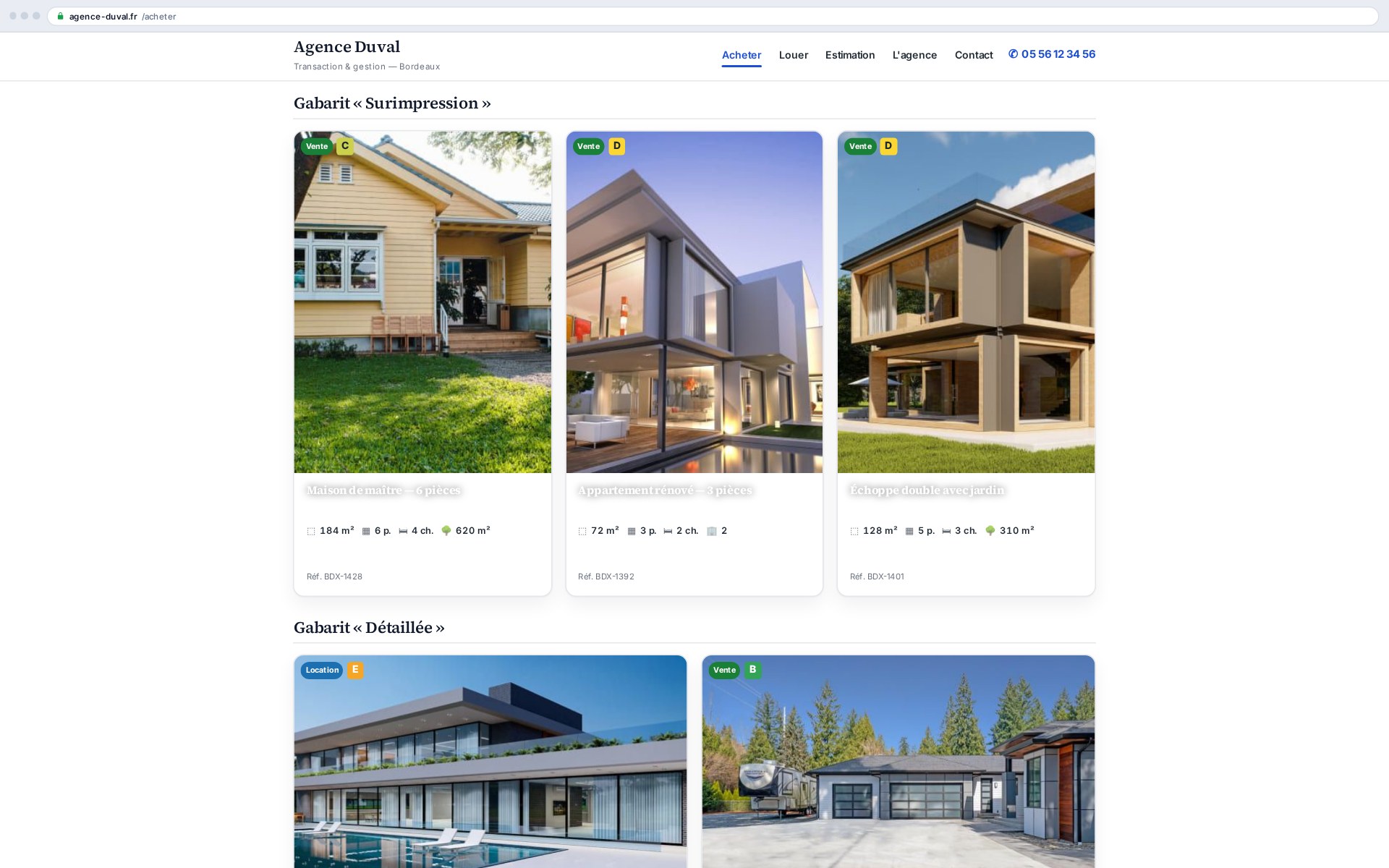
Standard, horizontal, overlay, minimal, detailed: the same catalogue changes face depending on the page. The overlay card dresses a home page, the horizontal one suits search results, the detailed one showcases a standout property. Your own templates are added through a declarative filter, without touching the theme.

Why local rendering changes everything

Many solutions display your properties from a third-party server in JavaScript: Google indexes those pages poorly, and a provider outage empties your catalogue. Here, properties live inside your WordPress, synced by Ts-Immo Sync: every listing has its own URL and content, and keeps existing even if the gateway is interrupted.

The Ts-Immo Vitrine theme delegates its grid to this add-on: improving it benefits every site, with no theme update.
Shortcodes

Shortcodes added by this add-on. Paste them into any page or post to display the feature.

[ts_immo_listing]

Property grid with search/filter bar, sorting and pagination.

Parameters

ParameterDescription
templateCard template: standard, horizontal, overlay, minimal, featured (default: global setting).
columnsNumber of columns 1–6 (default 3).
limitProperties per page (default 12).
offerTransaction filter: sale | rental.
typeProperty type filter (taxonomy slug, comma-separated).
cityCity filter (taxonomy slug or text).
orderbySort: date | price_asc | price_desc | title.
idsList of property IDs to display (comma-separated).
searchShow the search/filter bar: 1 or 0 (default 0).
[ts_immo_card]

A single card for a given property, in the chosen template.

Parameters

ParameterDescription
idProperty ID (default: current property).
templateCard template (default: global setting).
[ts_immo_search]

Standalone search/filter bar (above a [ts_immo_listing] grid).

Screenshots

Five card templates shipped: standard, horizontal, overlay, minimal, detailed
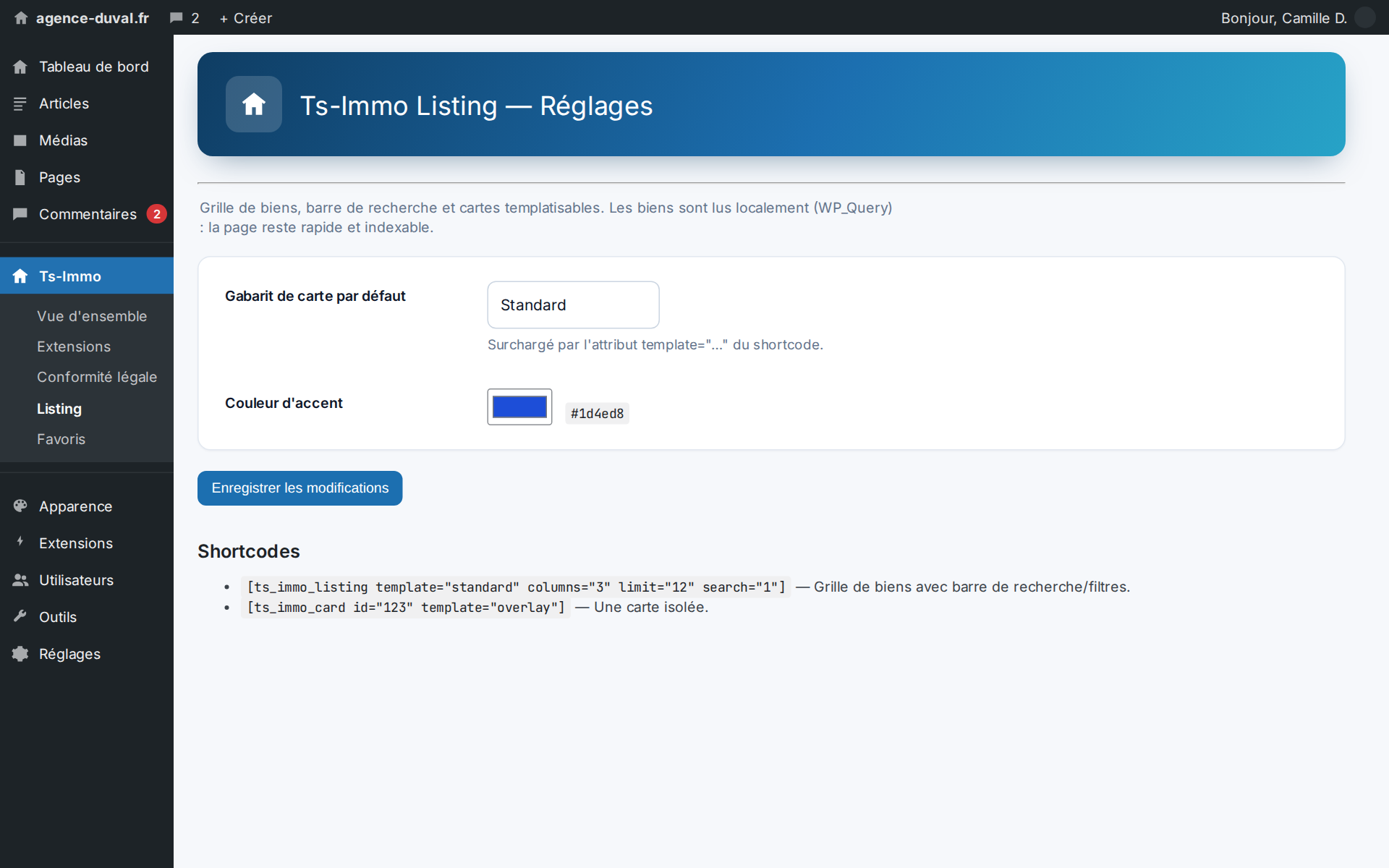
Settings: the default card template, plus your own templates via a filter

Frequently asked questions

Do I need the Ts-Immo theme to use it?+

No. The shortcode works in any WordPress theme. With the Ts-Immo Vitrine theme, colours and radii align automatically; elsewhere the add-on stays self-contained and unobtrusive.

Can I show rentals only, or a single property type?+

Yes: the shortcode attributes filter by transaction, type and city, and the search bar can be hidden for a themed page (“our houses in Bordeaux”, “our furnished rentals”).

Ready to connect your CRM?

Get started for free or contact us for a personalized Ts-Immo demonstration.

Property listing & search — grid and filters | Ts-Immo — Ts-Immo