Property display

Property specs & map

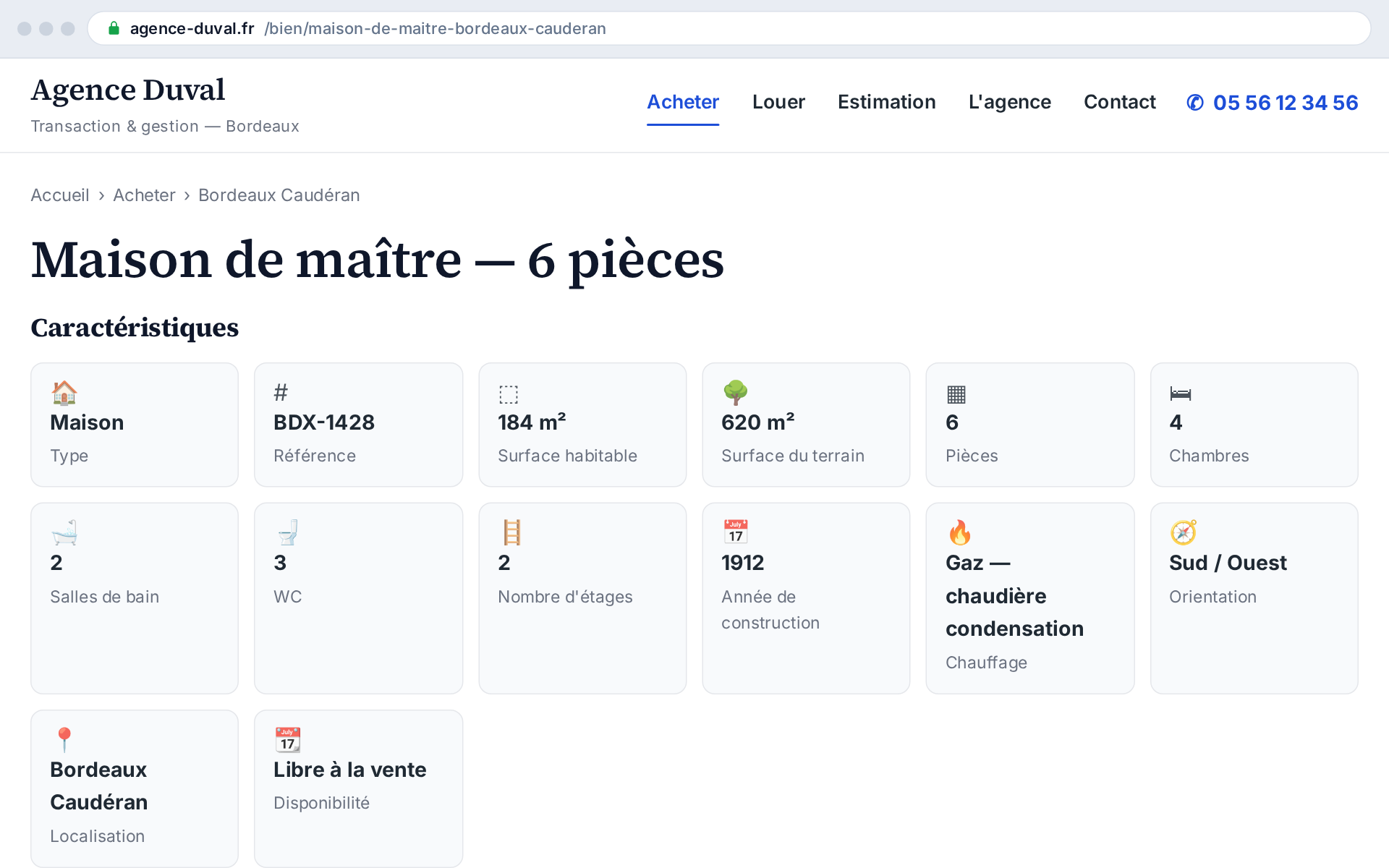
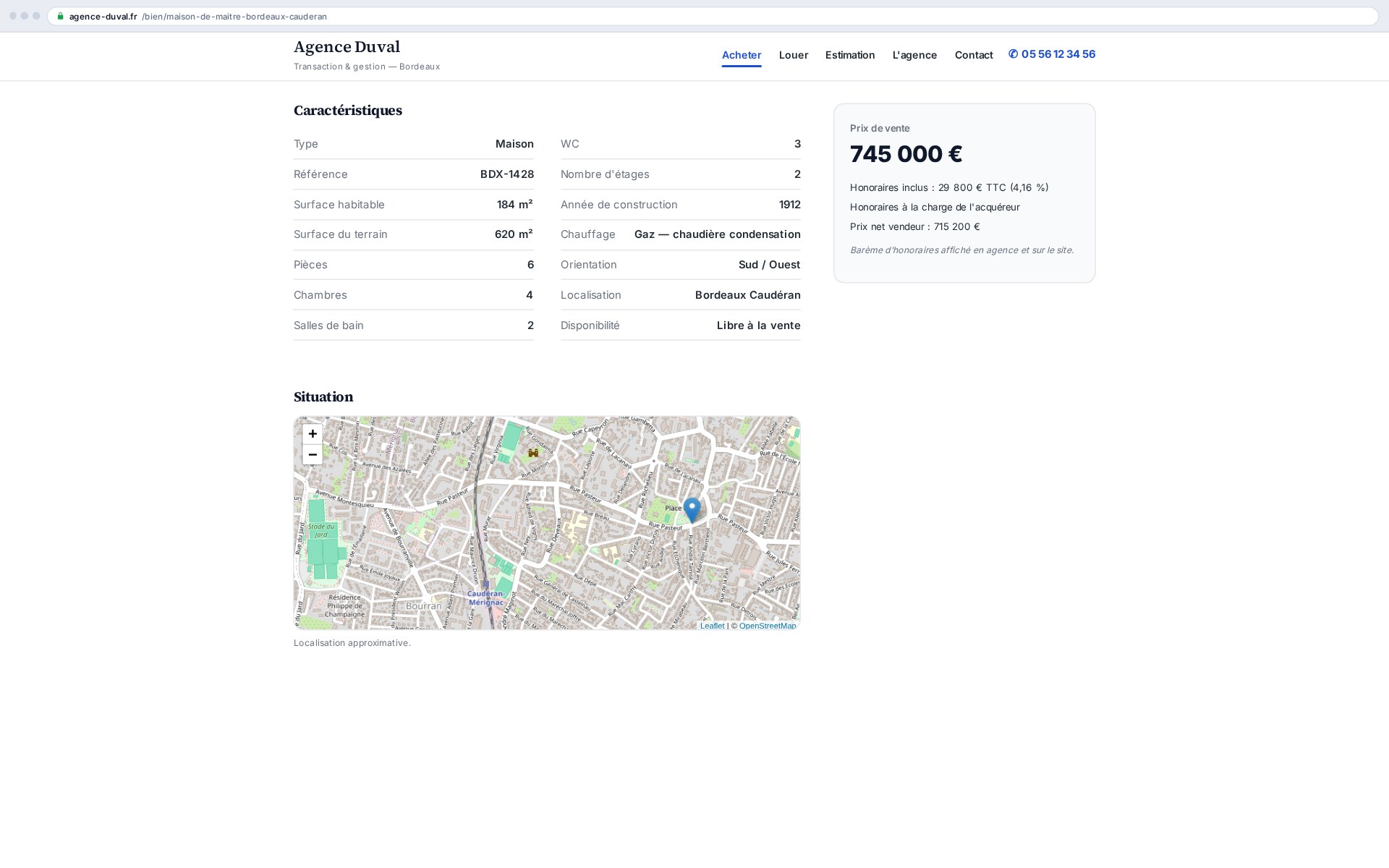
Buyers read the numbers first: area, rooms, bedrooms, heating, year. This add-on displays every characteristic coming from the CRM, cleanly, and never shows an empty row — what's missing in the CRM simply doesn't appear, rather than leaving a worrying “—”. The neighbourhood map follows the synced coordinates, with no manual pinning.

Every characteristic from the CRM, cleanly displayed — and never an empty row

What this add-on does

It renders two blocks of the property page: the specs and the map. Values are read from the local property exactly as the mapping stored them, and presented in the layout you choose — tile grid, two columns or a plain list.

  • Type, reference, areas (living, land, Carrez)
  • Rooms, bedrooms, bathrooms, WCs, floor
  • Year built, heating, orientation, availability
  • Condominium: number of lots, annual charges, ongoing proceedings

Never an empty field

Not every CRM fills every field, and properties differ: a plot has no bedroom, a studio has no garden. The add-on only shows a row when it has a value. The result: a listing that looks complete on every property, without anyone tidying up by hand.

The map, with no API key or quota

The map runs on OpenStreetMap: nothing to open with Google, no billing to watch, no key to renew. The position comes from the coordinates synced with the property; the “approximate location” notice stays visible, as it should for a property on sale.
Shortcodes

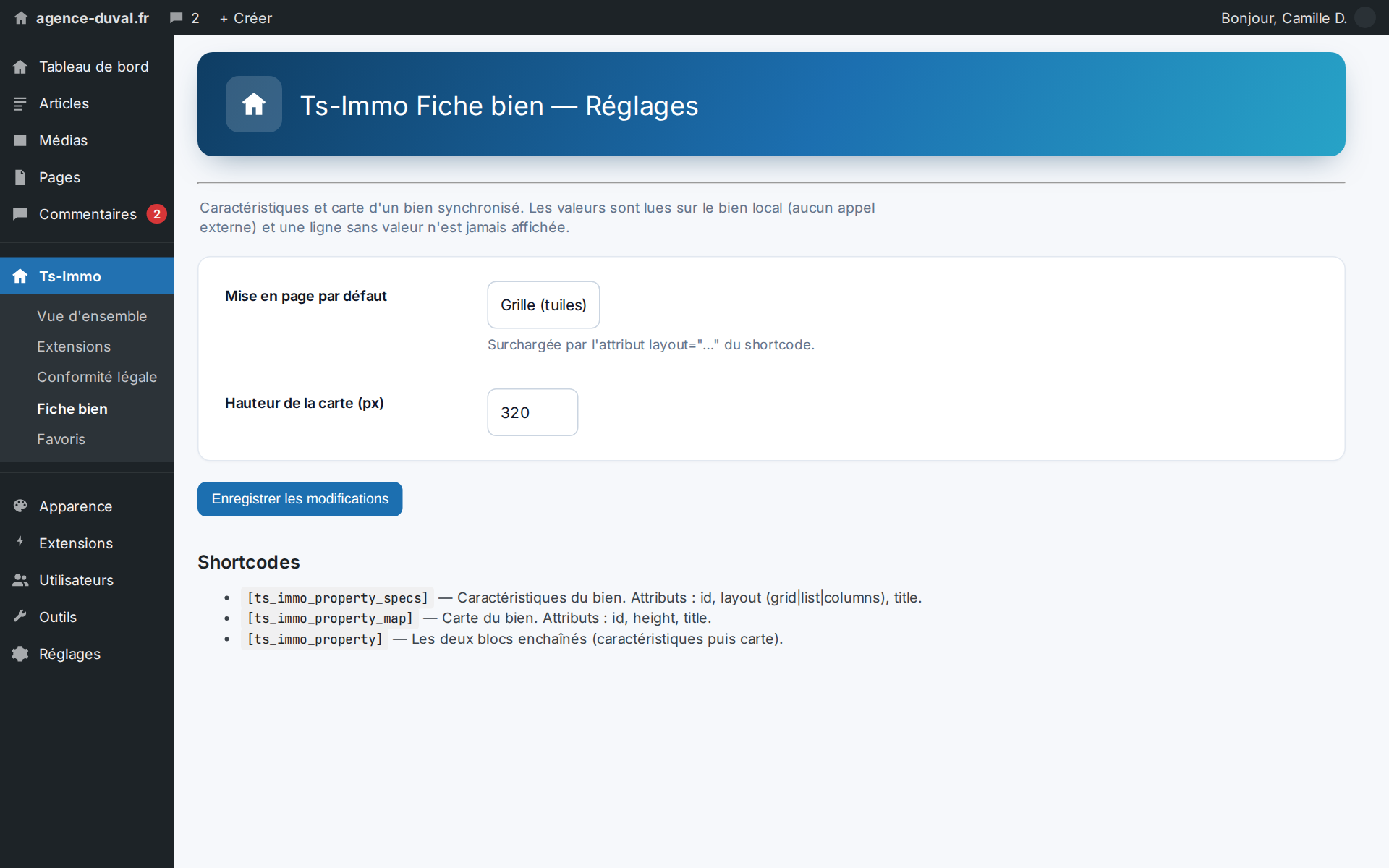
Shortcodes added by this add-on. Paste them into any page or post to display the feature.

[ts_immo_property_specs]

Property specs (grid, list or columns).

Parameters

ParameterDescription
idProperty ID (default: current property).
layoutLayout: grid | list | columns (default grid).
[ts_immo_property_map]

OpenStreetMap location map of the property (approximate location).

Parameters

ParameterDescription
idProperty ID (default: current property).
heightMap height in pixels (default 320).
[ts_immo_property]

Combined sheet: specs + location map.

Parameters

ParameterDescription
idProperty ID (default: current property).
layoutSpecs layout (default grid).
mapShow the map: 1 or 0 (default 1).

Screenshots

The neighbourhood map follows the synced coordinates: nothing to pin by hand
Three layouts to choose from, placed by shortcode — the theme delegates rendering to the add-on

Frequently asked questions

Where do the displayed values come from?+

From the property synced onto your site, through your gateway's mapping template. No call is made to the backend at render time: the page stays fast and works even outside a sync.

Can I choose which characteristics are shown?+

The list follows what the property contains. For finer control, the shortcode accepts a different layout per location, and the theme can call only the specs block or only the map block.

Ready to connect your CRM?

Get started for free or contact us for a personalized Ts-Immo demonstration.

Property specs & map — complete listing | Ts-Immo — Ts-Immo