Technical tool

File editor

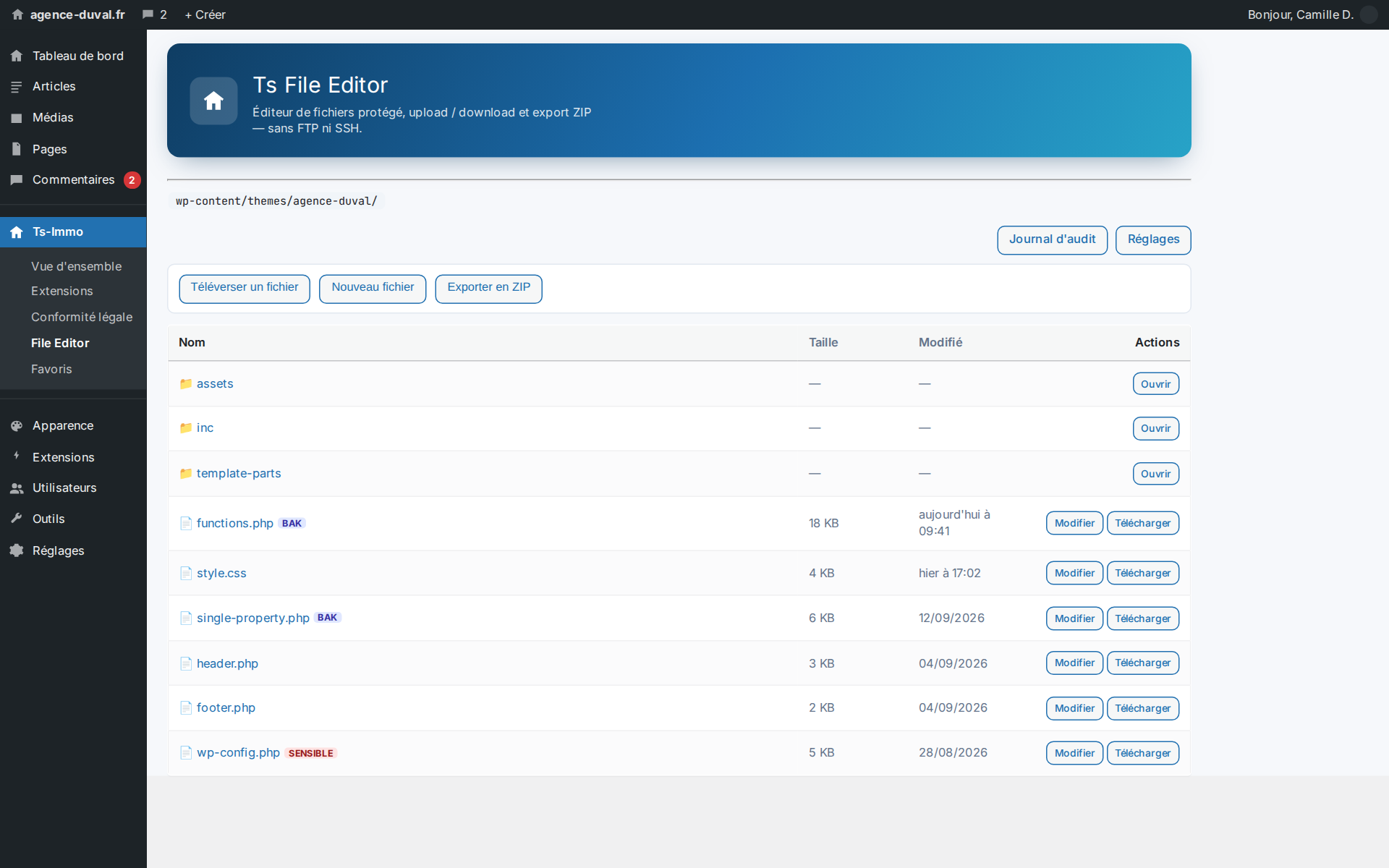
A small fix on the site shouldn't require FTP access, a lost password and a two-day wait. The Ts-Immo file editor opens, edits and uploads your site's files from the admin — with a PHP syntax check before saving, an automatic backup, and instant rollback if a white screen appears.

Browse and edit the site's files from the admin — no FTP, no SSH, no waiting

What this add-on does

It gives you a file explorer inside the admin: browse the theme and plugins, open a file, edit it with syntax highlighting, upload an image or export a folder as a ZIP. The scope is bounded: you cannot escape the allowed directories.

  • Explorer bounded to the allowed scope
  • Editing with syntax highlighting
  • File upload and ZIP export
  • Sensitive files flagged (wp-config.php…)

Three safeguards before the white screen

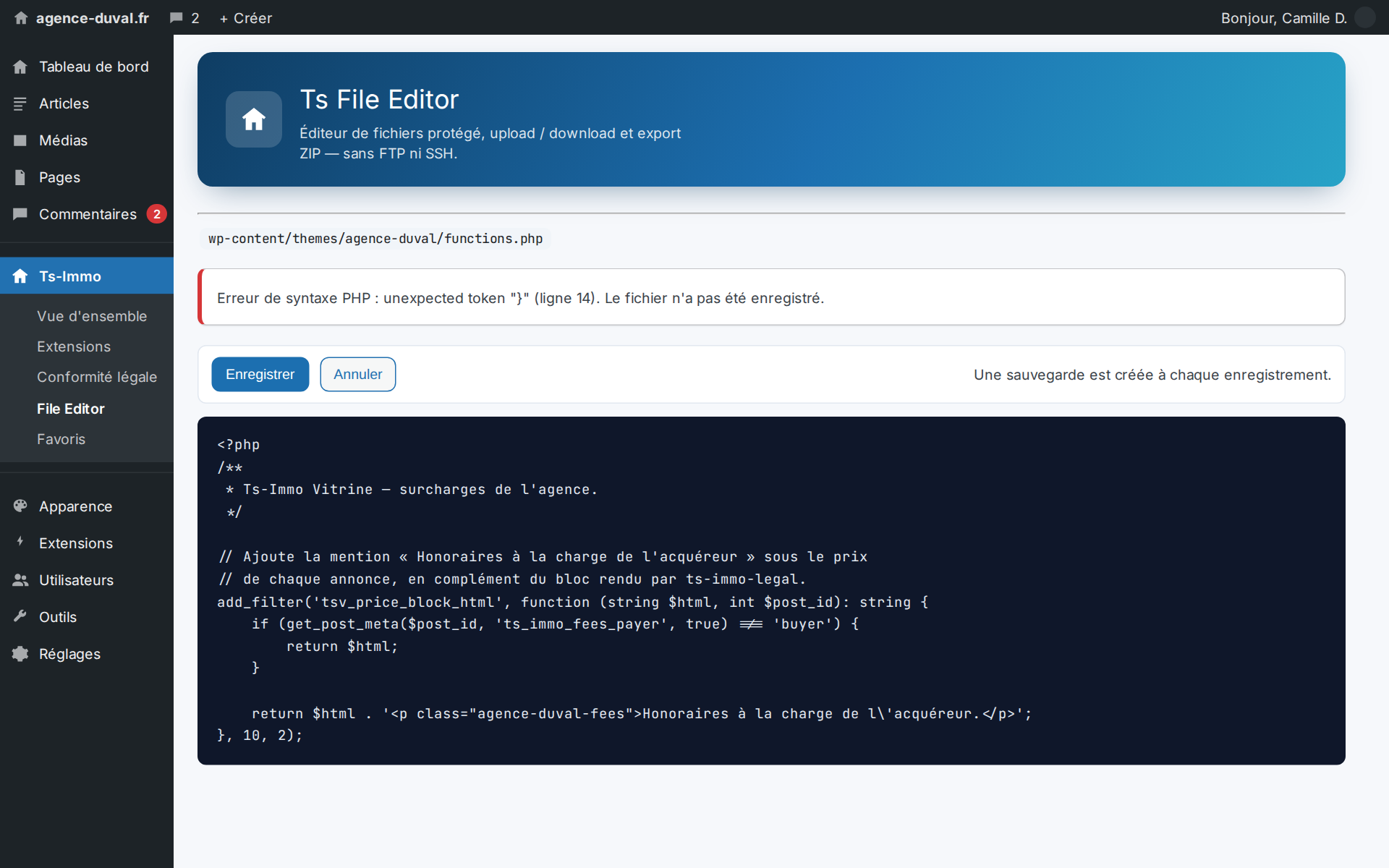
One missing brace in functions.php and the site goes down. Before saving, the add-on checks the PHP syntax and refuses an invalid file. On saving, it creates a backup. After saving, it calls the site: if a fatal error appears, the previous version is restored automatically.

Automatic rollback is what separates a usable file editor from one nobody dares open.

Who touched what, and when

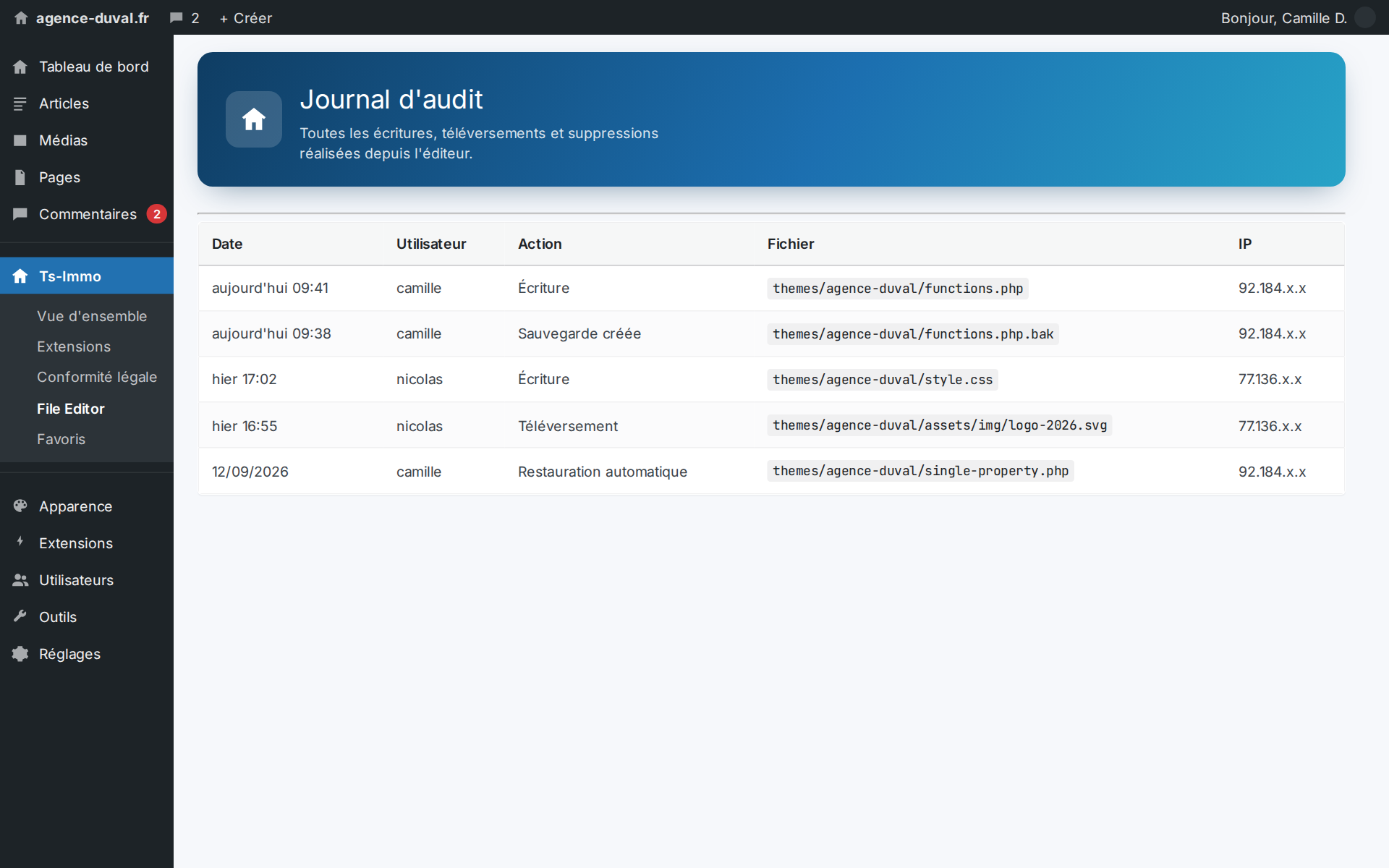
Every write, upload and deletion is logged with the user, the file, the timestamp and the IP address. On a site shared between the agency, a contractor and support, that is the only way to know where a change came from.
Screenshots

Before saving: PHP syntax check, backup, and automatic rollback if the site goes down
Every write is logged: who touched which file, when, and from which address

Frequently asked questions

Is enabling a file editor dangerous?+

The editor is restricted to administrators, bounded to allowed directories, and every write is backed up then verified. Sensitive files are flagged. In practice the real risk is rather leaving shared FTP credentials lying around.

Can I use it to upload a logo or a photo?+

Yes: upload accepts site files (images, CSS, JS, templates). For editorial media, the WordPress media library remains the natural tool.

Ready to connect your CRM?

Get started for free or contact us for a personalized Ts-Immo demonstration.

WordPress file editor without FTP | Ts-Immo — Ts-Immo