What this add-on does
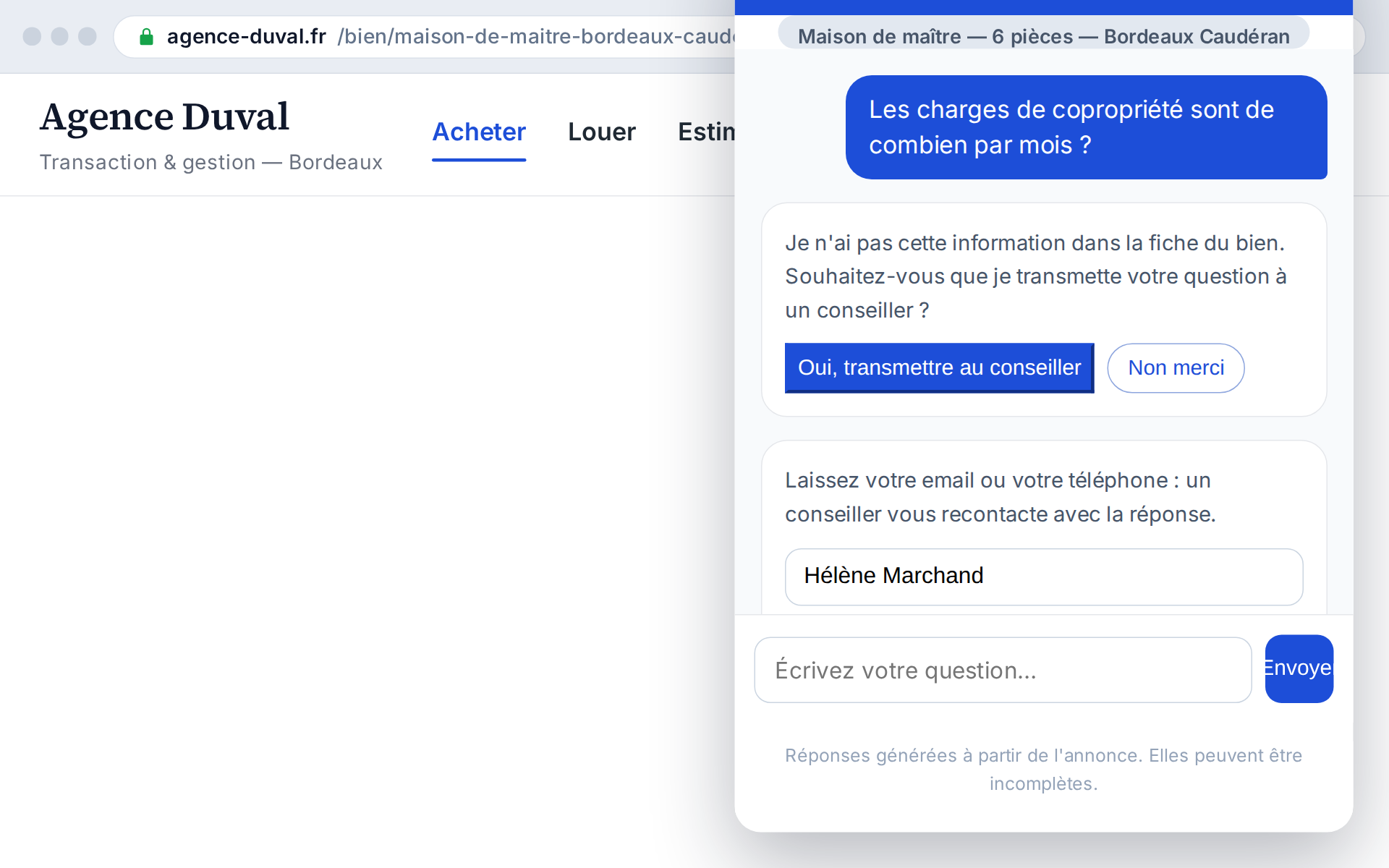
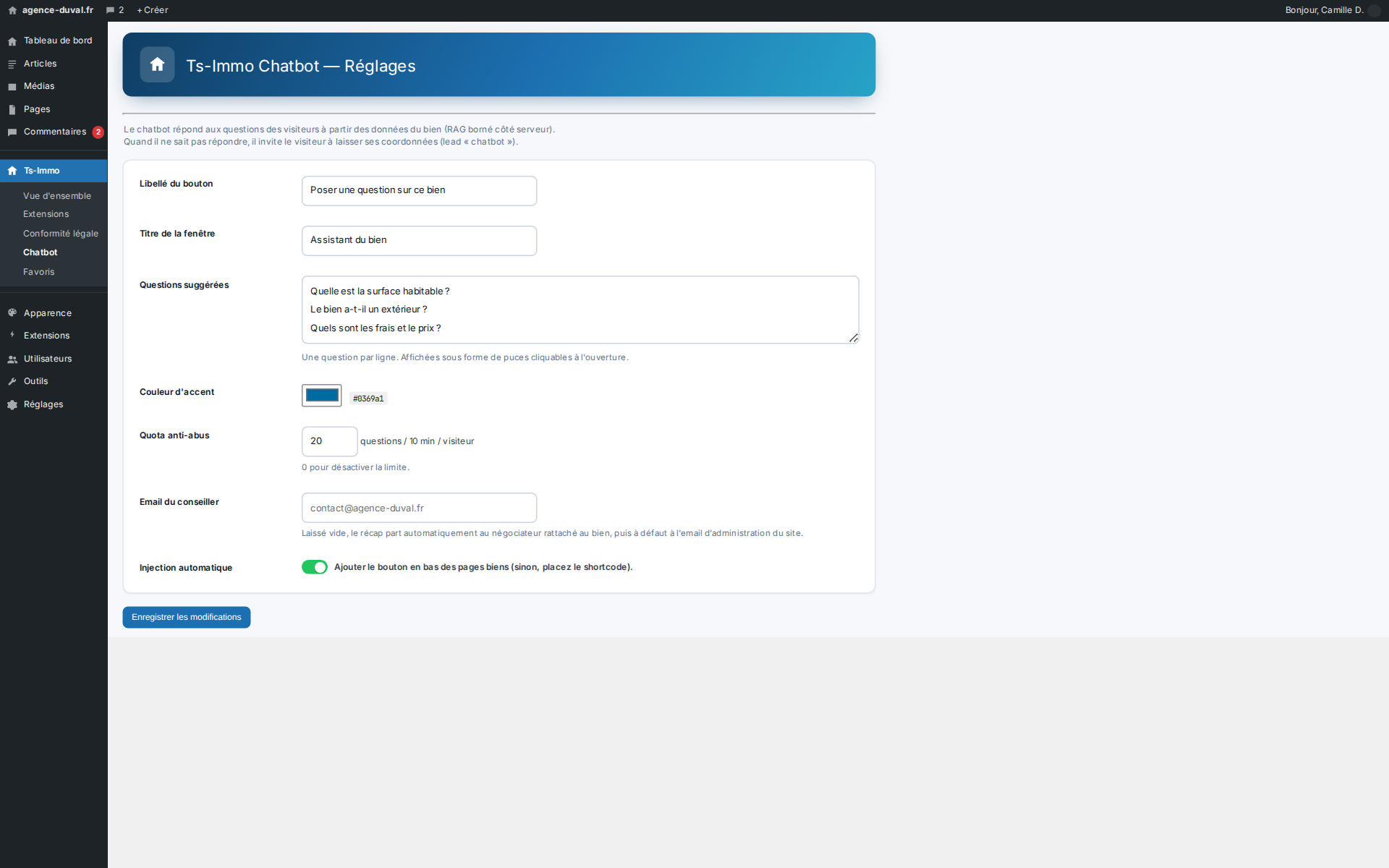
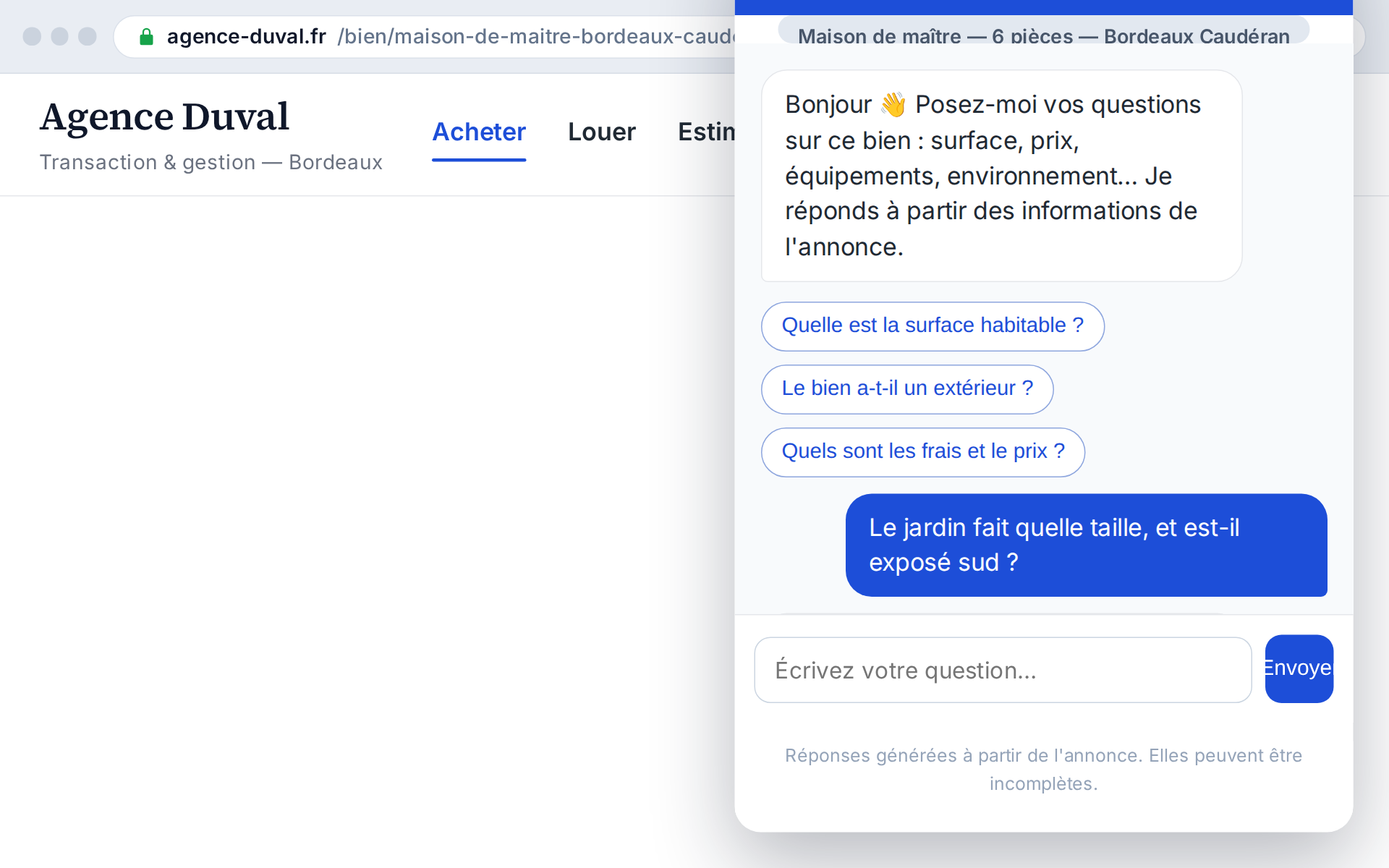
A discreet button opens a conversational assistant that answers questions based solely on the property's information (server-side RAG). When it can't answer, it smartly switches to a form and generates a « chatbot » lead. The display adapts to desktop (bottom-right) and mobile (full-width).
- Answers scoped to the property's data
- No made-up information (server RAG)
- Falls back to a lead when it can't answer
- Desktop and mobile ready
Answering when the agency is closed
Questions about a property often come in the evening or at the weekend, when your offices are closed. A buyer with no immediate answer moves to the next property and their interest fades. The chatbot captures that precise moment of engagement, answers without waiting for opening hours, and keeps the visitor in your world instead of letting them slip away.
How it works
The assistant uses a server-side RAG (retrieval-augmented generation) approach: it only draws on the viewed property's information to craft its answers. This constraint is a crucial guardrail: it can't state a wrong area, price or feature. When a question is outside its scope, it politely offers to take the visitor's details.
- Server-side RAG, scoped to the property
- Anti-hallucination guardrail
- Natural transition to a form
- Conversation recorded as a lead
What it brings to engagement
You keep the visitor longer, resolve objections in real time and capture a lead even outside opening hours. The anti-hallucination guardrail protects your credibility, since the assistant only speaks about what it knows. The result: a modern, reassuring, contact-generating experience.
- Visitors kept longer
- Objections resolved in real time
- Leads captured after hours
- Credibility preserved by the guardrail
Before / after at a glance
| Without the add-on | With the add-on |
|---|---|
| Unanswered questions in the evening | Assistant available 24/7 |
| Buyer moving to the next property | Instant answer that keeps them |
| Risk of vague answers | Answers scoped to the property's data |
| Visitor lost for lack of an answer | Lead captured when the assistant can't answer |
Who it's ideal for
Perfect for high-traffic agencies that can't answer every request instantly, and for those wanting to offer a digital experience on par with the big platforms. The chatbot acts as an agent permanently available on every listing.